Keep Your Money Until the Work Is Done
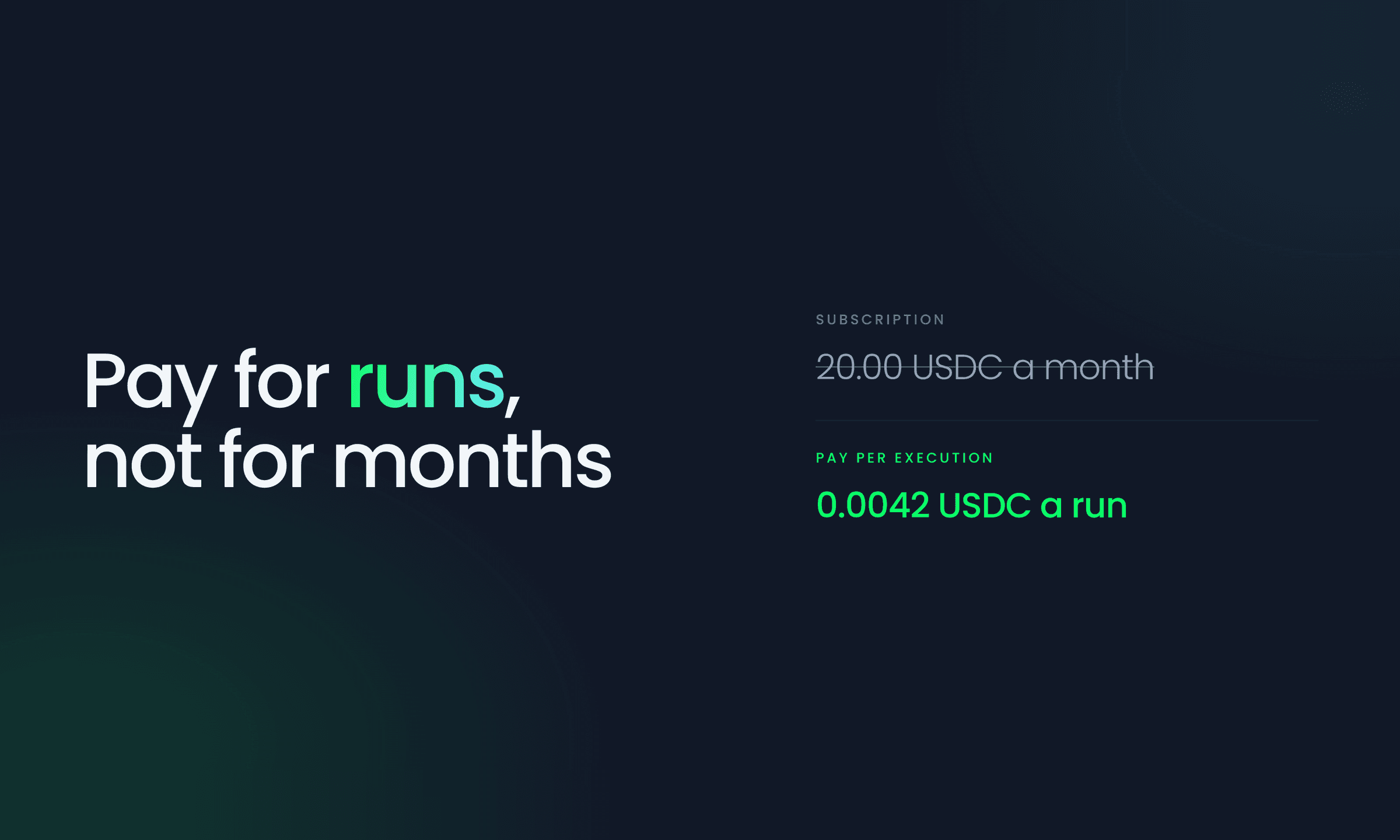
There is a moment before you commit to any paid platform where you just want to see it work for you first. With your real workflows, on your own terms, before you put a plan on the calendar. Committing to a subscription is easy once you know a tool fits. The harder part is the stretch before that, when you would like to run the real thing but you are not ready to sign up for a monthly plan yet.
Pay-per-execution is built for exactly that stretch. It is a way to use KeeperHub as a paid platform without committing to a plan: you run real automations, and you pay only for the ones that actually run. No tier to pick, no minimum, and nothing you have to take on faith, because every charge is something you can see and check. Under the hood it uses x402, the open payment standard, so each charge is an exact, verifiable transaction.
Low commitment, not low trust
When a product acts for you around the clock, firing transactions and reacting to on-chain events, two things usually sit between wanting to use it and being comfortable paying for it: committing before you are sure it fits, and being able to see exactly what it spends. Pay-per-execution removes the first and answers the second.
- No plan to commit to. You do not pick a tier or start a monthly bill. You switch it on and pay per run, for exactly as long as it suits you.
- You hold the funds. You fund a wallet that belongs to your organization and keep control of it. Nothing is prepaid to us; money only moves at the moment a run actually happens.
- Every charge is verifiable. Each execution settles on-chain with its own transaction hash, which you can open in a block explorer. You are never asked to trust a summary at the end of the month.
- You set the ceiling. Daily and per-period spend caps are yours to set, and a run that would cross one is stopped before it costs anything.
How pay-per-execution works
Every KeeperHub organization starts with a free tier that includes 5,000 executions per month, enough to build, test, and run real automations at no cost.
When you go beyond the free tier, you can turn on pay-as-you-go in your billing settings instead of being pushed into a plan before you are ready. From then on, each extra execution costs a flat $0.01 in USDC, charged straight from your organization's wallet at the moment the run happens.
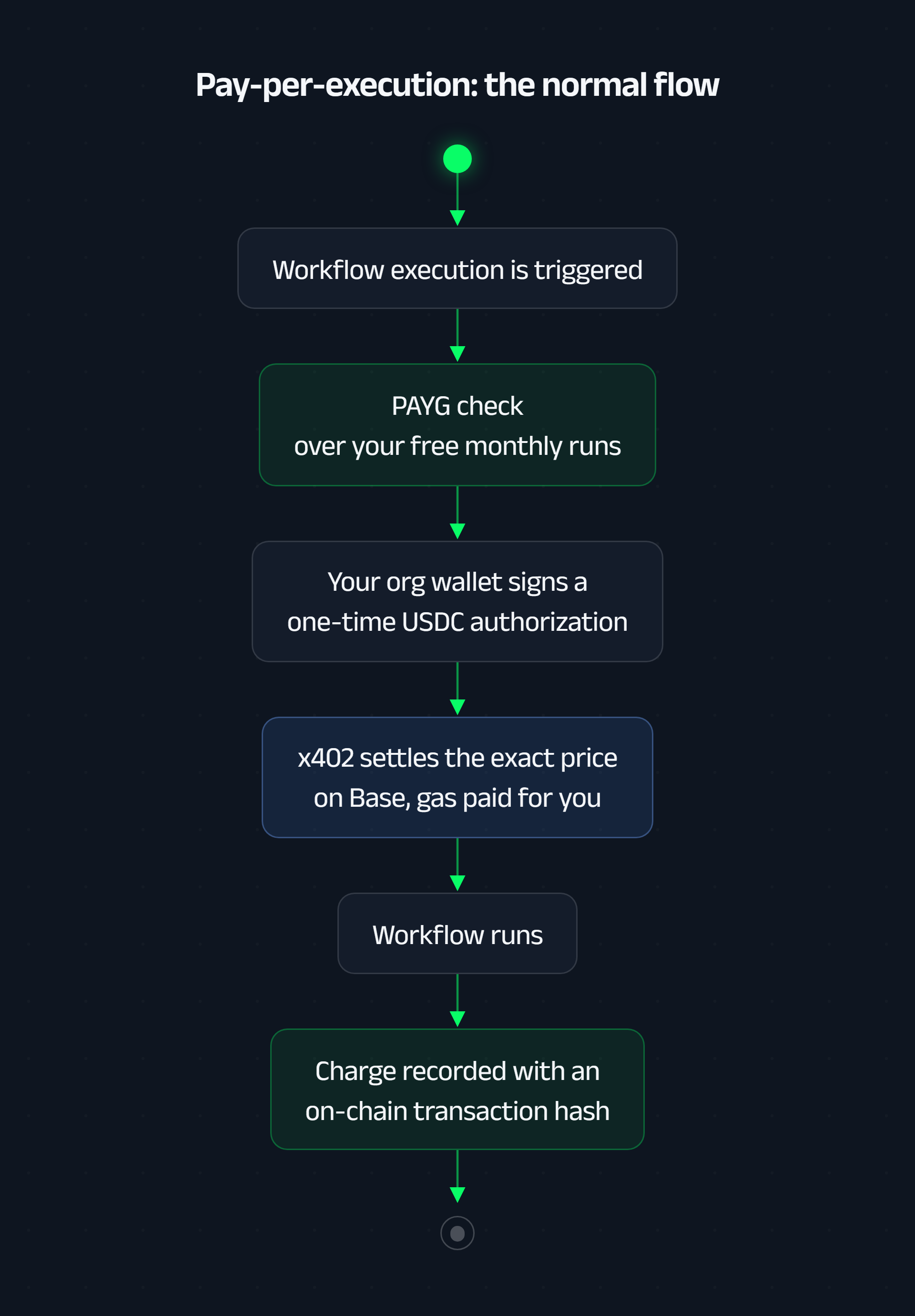
The important part is where the money lives. You do not prepay a balance that we hold. You fund a wallet that belongs to your organization with USDC on Base, and it stays yours. When a billable execution runs, your wallet signs a one-time authorization for the exact per-execution price, and the x402 facilitator settles that single payment on-chain. It is gasless for you, the facilitator submits the transfer and covers the gas, so a one-cent execution never loses money to gas.
Because it settles on-chain, every charge leaves a receipt. Each pay-per-execution charge is recorded with its transaction hash, linked to the workflow that triggered it, and viewable on a block explorer. The record is yours to check, not a number you have to take our word for.
Why x402
We wrote before about x402 and how agents pay. The short version: x402 revives the HTTP 402 "Payment Required" status code so that paying for something is a native, per-request action. A price is quoted, a payment is signed, and access is granted.
That maps almost perfectly onto per-execution billing. Each run is its own priced event, so each run gets its own exact payment. We use the x402 "exact" scheme with USDC, which means your wallet signs an authorization for one specific amount and nothing more can be pulled. The amount you authorize is the amount that moves, every time. And because it settles in USDC on Base, a public asset on a public network, the receipt is public and it is yours, not locked inside a dashboard you have to log in to trust.
Guardrails you set, not ones you discover later
Paying per run only feels safe if you stay in control of the total. So the spend is bounded by limits you set, and the checks run before any money moves.
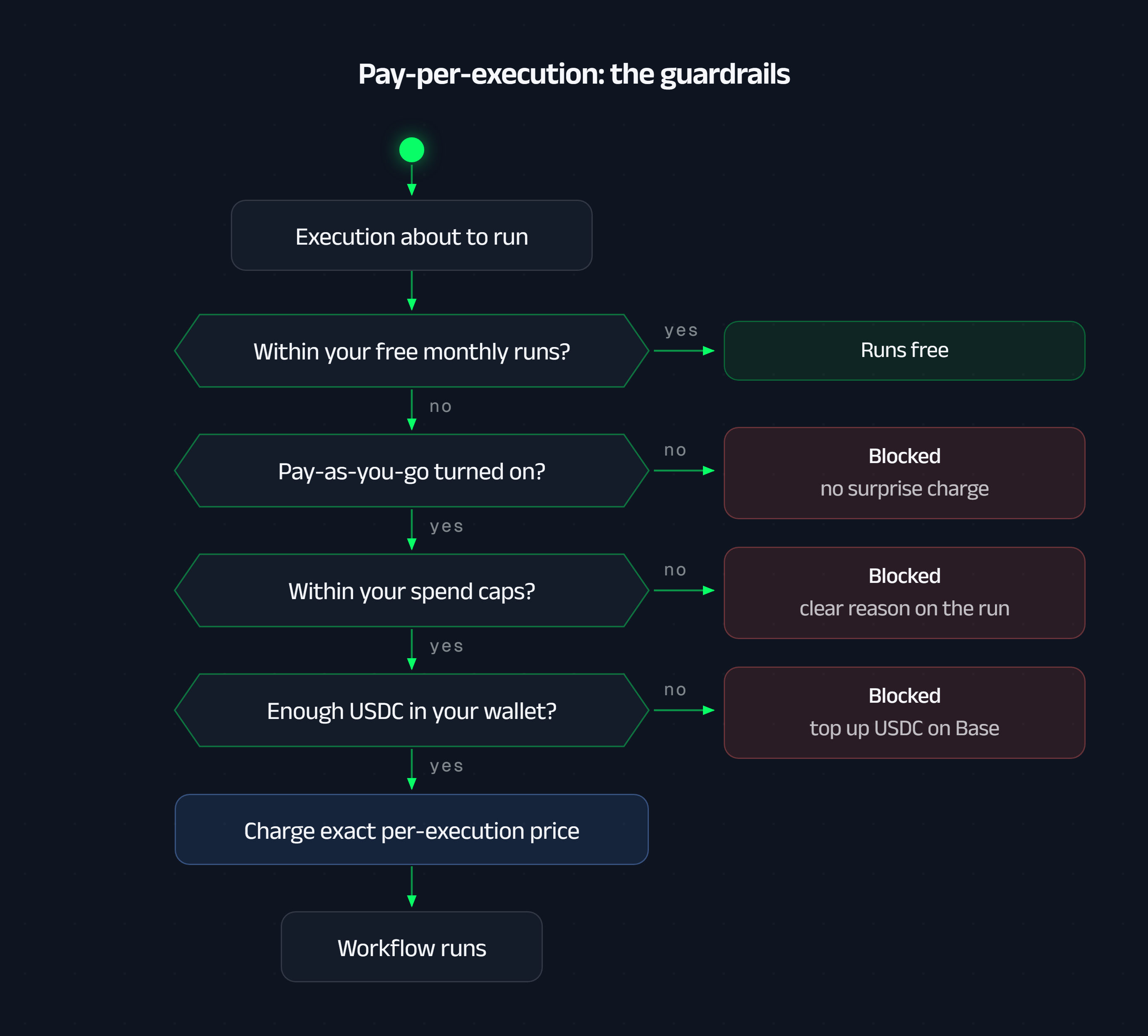
Every billable execution passes through the same gates:
- Free first. If a run is still inside your monthly allowance, it runs for free. Pay-per-execution only ever applies to what is beyond it.
- Off by default. If you have not turned pay-per-execution on, an over-limit run is simply blocked. It is never a surprise charge.
- Hard spend caps. You can set an optional daily cap and a per-period cap in USDC. A run that would push you past a cap is blocked, and the reason is recorded right on the run, so you know exactly why it did not fire and what to change.
- Your balance is the ceiling. If the wallet does not hold enough USDC, the run is blocked with a clear "top up USDC on Base" message. We can never charge money that is not there.
- No double charges. Each execution settles exactly once. If a run is retried or redelivered, it reuses the payment it already made instead of paying again.
None of these are things you find out about after the fact. They are visible in the billing view, enforced at the moment of execution, and every outcome, charged or blocked, leaves a record you can read.
When a plan becomes the better deal
Pay-per-execution is at its best when your usage is occasional, spiky, or still finding its shape. Once it settles into something steady, a plan is usually the better deal. Pro and Business include a much larger monthly execution allowance at a predictable price, along with higher limits, longer log retention, and faster support. As volume grows, a plan's included executions cost less per run than paying for each one, and a single monthly figure is easier to budget than a stream of individual charges.
So think of pay-per-execution as the on-ramp. It lets you get real value out of KeeperHub first, on your terms, and move to a Pro or Business plan when the numbers make committing the obvious choice rather than a leap of faith. The two work together: pay-per-execution to start and to absorb the occasional spike, a plan once your baseline is clear.
Who this is for
Pay-per-execution is for anyone who wants to run real automation before committing to a plan. Try KeeperHub past the free tier without a procurement conversation. Run a burst of executions for a launch and pay for exactly that burst. Let an AI agent operate on-chain and pay for each action it takes, with a hard cap on what it can spend and an on-chain receipt for every move.
It is the same idea that makes x402 compelling for agent payments, applied to the thing that happens after the agent decides to act: the execution itself should pay for itself, transparently, one run at a time.
When your usage is ready for it, a plan is one click away.
Common questions
How do AI agents pay for services without a credit card?
Through x402, the HTTP-native payment protocol: the agent pays per request in USDC at the moment of use, with no account setup, no pre-funded balance, and no human in the loop. KeeperHub supports x402 natively, so agents pay per workflow execution.
What does pay-per-execution mean on KeeperHub?
You run real automations and pay only for what actually runs — per execution, in USDC, with every charge verifiable on-chain. There is no subscription required to start, and you set hard spending caps upfront.
When is a subscription cheaper than paying per execution?
When usage becomes steady. Pay-per-execution is the low-risk on-ramp; once you're running a predictable volume, KeeperHub's Pro and Business plans price the same workload lower per run.