Paging On-Call from a Workflow: PagerDuty on KeeperHub
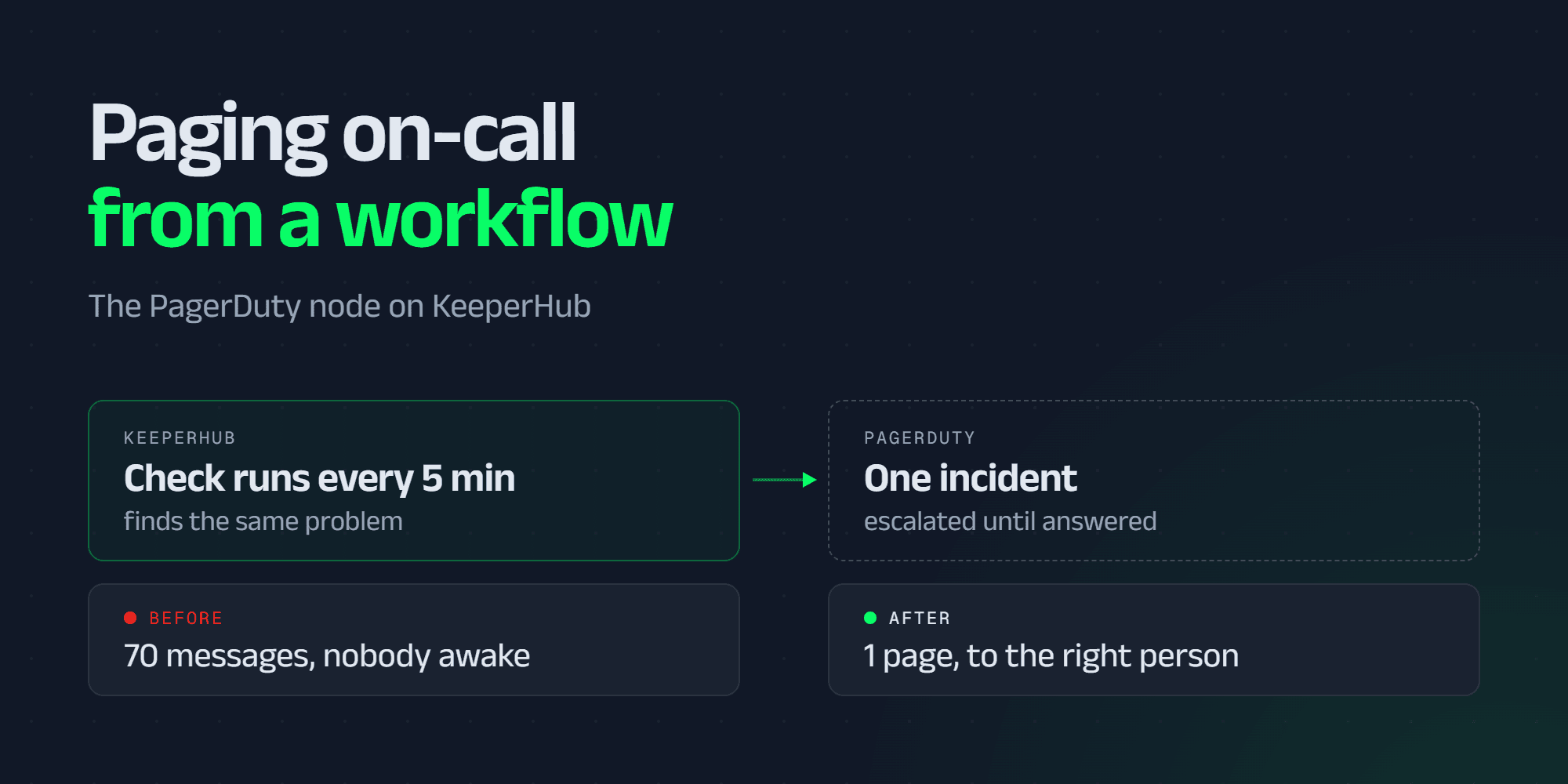
The check did its job. At 3:12am a vault's health factor crossed the line you set, your workflow noticed within the minute, and it posted a message to a channel. The channel had forty people in it and none of them were awake. You read it at 9am on Monday, scrolled up, and found the same message repeated seventy times, once per run, all night.
Nothing failed. The monitoring worked exactly as built. The part that was missing is the part every on-call team already solved years ago: an alert that knows who is responsible right now, escalates when they do not answer, and collapses seventy repeats into one incident.
That is what PagerDuty is for, and KeeperHub now speaks it natively. You pick a service from your account in a dropdown. The workflow pages whoever is on the rota.
Pick a service, not an API request
You could always do this, technically. An HTTP Request node, the Events API v2 endpoint typed in by hand, a JSON body you got right on the fourth try, and a routing key pasted into the workflow where it would live forever.
The PagerDuty node replaces all of that with a dropdown. Connect the account once in Settings, and every PagerDuty node offers your real services, read live from the account, with each one's id shown beside its name. Escalation policies and priorities work the same way.
That last detail matters more than it sounds. The node stores the service id, not its name, and reads the name back from PagerDuty on every load. Rename a service in PagerDuty and it simply comes back under its new name here. The id is the part that does not move.

When the vault health factor drops below 1.2, page the on-call
engineer through PagerDuty on the DeFi Ops service.
One incident, not one every five minutes
The seventy messages were not a bug in your check. A check that runs every five minutes and keeps finding the same problem has, correctly, found the same problem every five minutes.
Every event this node sends carries a de-duplication key, and PagerDuty folds repeat triggers carrying the same key into the alert that is already open. The first run pages. The next sixty-nine update the same incident instead of waking anyone again. By default the key is derived per node, which is the monitoring convention: the alert represents the condition, not the run that happened to notice it.
This is also why triggering goes through the Events API rather than REST. REST rejects a repeated incident key outright, so a cron-driven check would get a rejected request every five minutes, or open a fresh incident every five minutes. Neither is what you want at 3am.

Close it, and know that it closed
Acknowledge and Resolve are their own actions, so a workflow that sees a condition clear can close its own incident.
There is a catch the Events API does not advertise: it answers 202 Accepted to a resolve whether or not it actually resolved anything. Send a resolve for a key no alert ever carried and you get the same cheerful 202, and the incident stays open. So both actions read the incident back by default and report its real status, rather than reporting what was sent.
Both also offer a short wait before sending, capped at a few seconds, for the case where a resolve might otherwise overtake the trigger it was meant to close.
Hold a flapping check without hiding it
Some conditions cross the line and cross back. Paging on the first breach is how a team learns to ignore the pager.
Consecutive runs before paging holds the alert until the condition has held for N runs in a row. It is deliberately not a mute: only a run that finished successfully without reaching the node clears the streak. A run that errored, was cancelled, or was refused before it started is stepped over, because none of those got far enough to say whether the condition cleared.
Only page if the collateral ratio has been under the threshold
for three runs in a row.
When the page itself fails
A page that does not go out is the failure that matters, so every path is loud rather than quiet. A deleted service, a revoked token, a service with no Events API integration, a lapsed subscription: each fails with a message naming the object, and none of them are retried, because they fail identically on a second attempt.
The trigger action can also name a backup channel (an existing Discord, Slack or Telegram connection) to be told when the page could not be delivered. Only connections you already have are offered, so no new destination becomes reachable from a workflow.
One case is quieter than it looks and is handled explicitly: a service inside a maintenance window accepts your event and raises no incident. The node reports that as suppressed rather than triggered, because calling it triggered would name an incident state that never happened.
Prove the service works before you need it
A valid credential tells you nothing about whether a particular service will actually page a human. A service with no Events API integration, a disabled one, one sitting in a maintenance window, or one wired to an empty rota are all one dropdown entry apart, and all four look fine until the night you need them.
Send a test alert does the real round trip: trigger, then acknowledge, then resolve, reporting each leg separately, so a credential that can open an alert but not close one shows up as exactly that. Three things make it safe to press, and the button says all three before you do: it uses a de-duplication key of its own, so it can never merge into or close an alert a workflow opened; it reads the alert back afterwards to confirm it really closed; and it sends at info severity.

There is a second check on the connection form itself. Test Connection tells a bad token from a wrong region from a rate limit from a network fault, and on a rejected credential it probes the other service region and tells you which way to set the EU checkbox.
A read-only key is enough
Listing services, listing escalation policies, and resolving a service's routing key are all reads. The alert itself is authorised by the service's own routing key, not by your account credential.
So a read-only General Access key covers Trigger, Acknowledge, Resolve and Change Event, and it carries incidents.read already, which is what the read-back above needs.
A scoped OAuth app is tighter but has only what you grant it. services.read and escalation_policies.read are the two the connection form asks for, and they are enough to send every event. Add incidents.read if you want the read-back on Acknowledge and Resolve: without it those actions still apply, and report the incident status as unknown rather than confirming it.
Only Create Incident, which uses the REST endpoint to override an escalation policy, set urgency or set a priority, needs a write-capable credential.
The routing key itself is never written into the workflow. The node stores a service id such as PSVC123 and resolves the key server-side on each run. That matters because workflows here are exported, shared and listed, and a routing key stored in one would travel with it.
The five actions

Create Incident is the odd one out, and worth knowing about before you need it: escalation policy, urgency and priority are not things you can set on an event. If you need to override any of them, that is the action to reach for, and it is the one that needs a write-capable credential.
You describe it. The agent builds it.
Nothing above requires you to open the node editor. Point an agent at KeeperHub over MCP, or use the kh CLI, and "page the DeFi Ops rota if the health factor stays under 1.2 for three runs" arrives as a configured node: service resolved, severity set, threshold filled in.
What an agent cannot get wrong on your behalf is the part that decides whether anyone wakes up. Three things are enforced by the node rather than by how carefully the sentence was phrased: whether the service exists, whether the de-duplication key stays stable between the trigger and the resolve, and whether a templated summary still fits inside PagerDuty's limits.
Why this belongs in the workflow
We wrote before that the Bybit attack would have been caught by an automation watching the Safe Transaction Service and pushing an alert through a channel independent of the compromised interface. PagerDuty was one of the examples in that post. The gap between writing that sentence and being able to configure it in two clicks is the gap this node closes.
Catching the condition is the part most teams already have. What tends to be missing is everything after it: a person who is awake, an escalation path when they are not, seventy repeats collapsed into one incident, and a record afterwards of what fired and when. A workflow that can only post a message solves the first and none of the rest.
Common questions
I already page PagerDuty from an HTTP Request node. Do I have to rebuild it?
Only if you want what the node adds. An HTTP Request node hitting /v2/enqueue keeps working; this changes nothing about it. Swapping it out gets you the service picker instead of a pasted routing key, the de-duplication default, the consecutive-run guard, the read-back on Acknowledge and Resolve, and the test button. The one thing you cannot carry over automatically is the de-duplication key: if your hand-written events used a key of their own, set the same value explicitly on the new node, or alerts already open under the old key will never be closed by the new one.
Where do I get the credential?
In PagerDuty, under Integrations > Developer Tools. An API access key is the quick path: tick Read-only API Key, and note that PagerDuty shows it once. App Registration is where you create a scoped OAuth app instead if you would rather grant individual scopes.
Can I set an incident's priority or urgency?
Not directly. The Events API has no field for either. Severity does reach urgency indirectly: on a service using dynamic urgency, critical and error page at high urgency while warning and info do not. Priority, though, cannot be set on an event at all; PagerDuty assigns it from the service's Event Orchestration rules. Create Incident is the action that sets either one outright, because it goes through the REST endpoint, and it needs a write-capable credential and a From email.
Does the node know whether anyone was actually paged?
It knows what PagerDuty did with the event, which is not always the same thing. A service in a maintenance window accepts the event and raises nothing, and the node reports suppressed rather than triggered so that difference is visible. Who the rota escalated to after that is PagerDuty's side of the line.
What happens if PagerDuty is unreachable when the condition fires?
The step fails loudly rather than silently, and the trigger action can name a backup Discord, Slack or Telegram connection to be told that the page did not go out. Retries default to 2, because an event that arrives twice under the same de-duplication key updates one alert rather than paging twice. The change event is the exception worth knowing: PagerDuty gives it no dedup key, so a lost response can leave a second entry on the timeline. The retry still defaults on, because a duplicate deploy marker costs less than a missing one.
Start paging from a workflow
Connect the account, pick a service, and press the test button. It opens a real incident and closes it again in about a second, and tells you more than any of the above.
Connect PagerDuty and send a test alert, then point your next monitoring workflow at a service instead of a channel, and let Monday morning be the first time you don't find out what happened over the weekend.
Full configuration reference is in the PagerDuty docs.
Related: Where a workflow can send what it found · The agent execution layer