Stablecoin Payment Jobs, Automated on Tempo
It is Friday afternoon and you are watching a wallet. A client owes you for the project you wrapped last week, the payment is meant to land today, and you have checked four times since lunch. When it finally shows up you will do what you do at the end of every project: move your own cut to the account you actually save from, set aside a slice for tax, and pay the two people who helped you ship it. None of it is hard. All of it is manual, and you will do it again next month, and the month after that.
That little ritual is not one job. It is a handful of separate ones stitched together by you: notice the money arrived, send some out with a reference, pay a list of people, hold a payment until the right day, swap into the token you actually need. Every one of them is a thing you do by hand today.
Tempo is a chain built to carry exactly this kind of work. It is EVM-compatible, it went live to mainnet this year backed by Stripe and Paradigm, and it treats stablecoins as first-class citizens: gas is paid in the same dollar-tokens you send, transfers can carry a reference, and a batch of payments settles atomically. KeeperHub just added a node for each of those jobs. Here they are, one at a time, each with the case it was built for.
It starts when money arrives
The watching is the part you should never have been doing. You refresh a wallet to catch the moment a payment lands, and even when it does, a bare transfer does not tell you which client or which project it was for.
The Transfer trigger does the watching for you. It listens to a Tempo stablecoin and fires your workflow the instant a payment settles, with the sender, the amount, and the memo already decoded. Narrow it to just the payments you care about: a memo that starts with INV-, or transfers to one specific wallet. The thing you used to sit and refresh for now starts the work by itself.
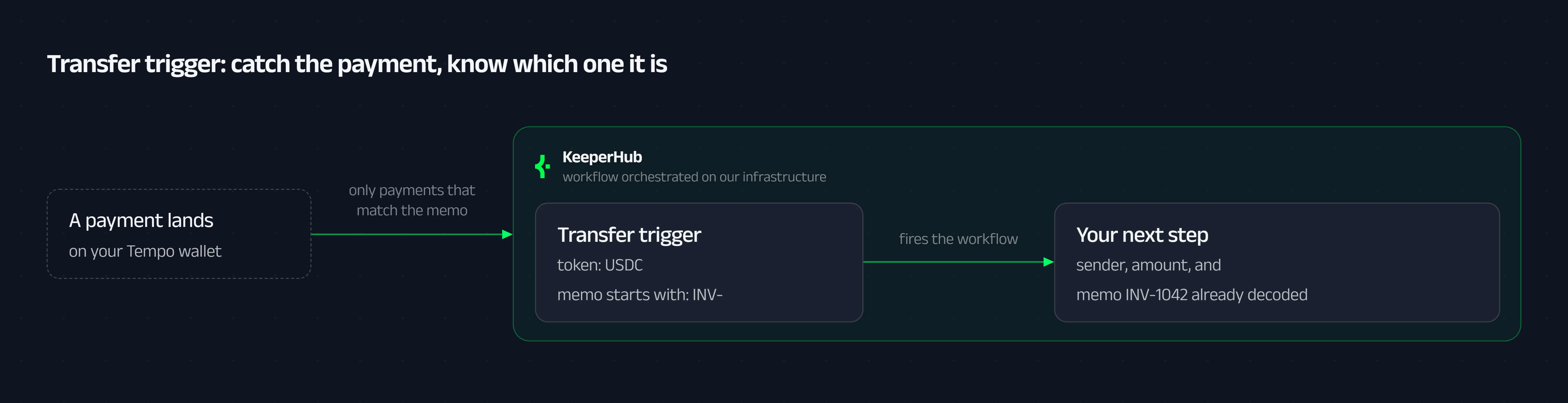
Watch my USDC on Tempo, and whenever a payment lands with a memo starting
INV-, start the workflow with the sender, amount, and reference.
Pay once, with the reference attached
The moment you send money out, whoever receives it inherits the same reconciliation headache you just solved for yourself. A plain transfer is an amount and an address and nothing else.
Transfer with Memo stamps the invoice number, pay-run id, or receipt hash onto the transfer itself, carried as an on-chain field the recipient reads straight back off the log. There is an optional expiry, too: mark it "settle by 5pm or not at all," and it fails cleanly instead of landing a day late against the wrong period.
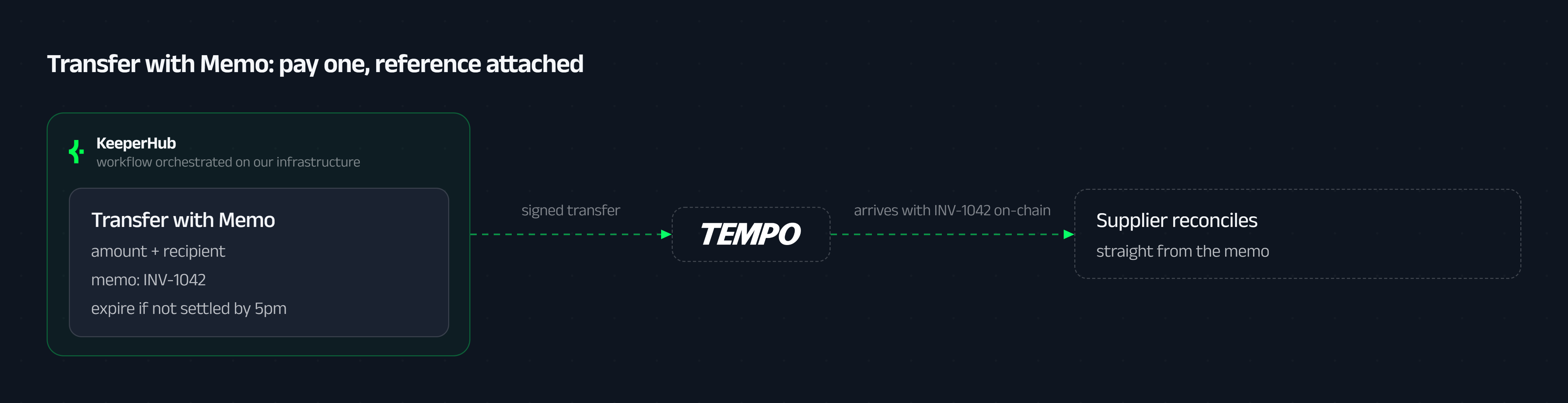
Pay this supplier on Tempo with the invoice number in the memo,
and expire it if it hasn't settled by 5pm.
Pay the whole list at once
When it is more than one person, doing it one transfer at a time is slow and can half-finish. Three go through, the fourth fails, and now you are reconciling a partial run and resending the rest while people ask where their money is.
Batch Payout sends the whole list in one atomic Tempo transaction. Every line carries its own memo, and they all settle together or none of them do. No partial run to clean up, no "did that one actually go?", each reference on-chain the moment it lands.
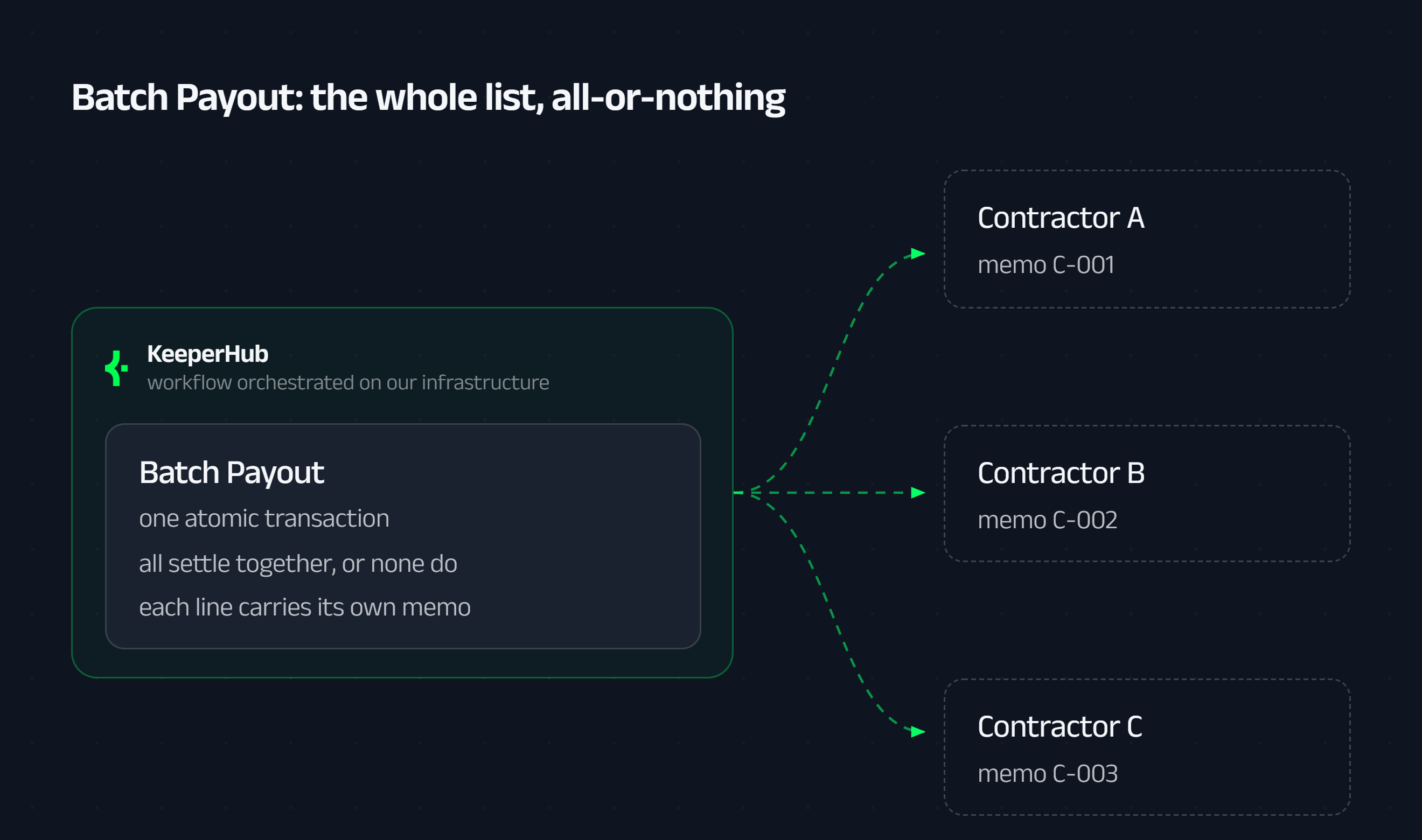
On payday, pay everyone on the team in one batch on Tempo,
tagging each payment with their contractor id.
Pay it, but not yet
Sometimes you know the amount and the recipient today, but the money should move on a set day, or only once you have looked at it once more. The usual answer is a calendar reminder and remembering to press send.
Sign & Hold Payment signs the payment now and holds it. Release it on a schedule, or on demand from the Held Payments page once an owner approves. Either way it carries an on-chain deadline, so a held payment can never quietly settle after its window has closed.
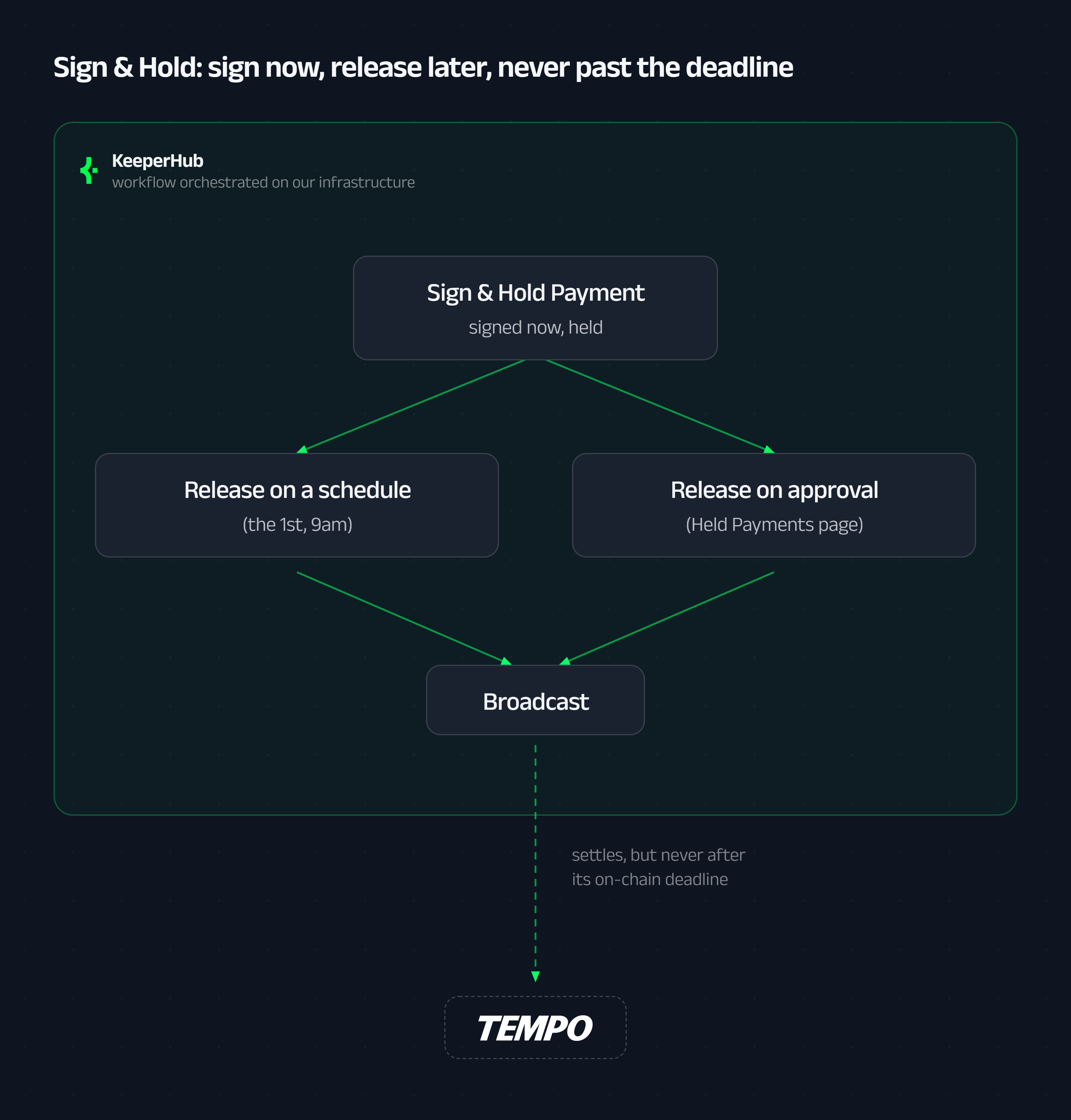
Sign the contractor's 50,000 USDC invoice now and hold it, then release it
on the 1st. It must not settle if it hasn't gone out by end of that day.
When you are holding the wrong dollar
Now and then the money is right but the token is wrong: the client paid in one stablecoin and you keep another. On a general-purpose chain that means an AMM, fragmented liquidity, and slippage you only find out about after the swap has filled.
Swap Stablecoins market-swaps one Tempo stablecoin for another on the chain's enshrined DEX, with a minimum-output floor you set. If the price would slip past your limit, the swap reverts instead of filling at a rate you never agreed to. Most often it is a single step inside a bigger workflow, right before the money moves on.
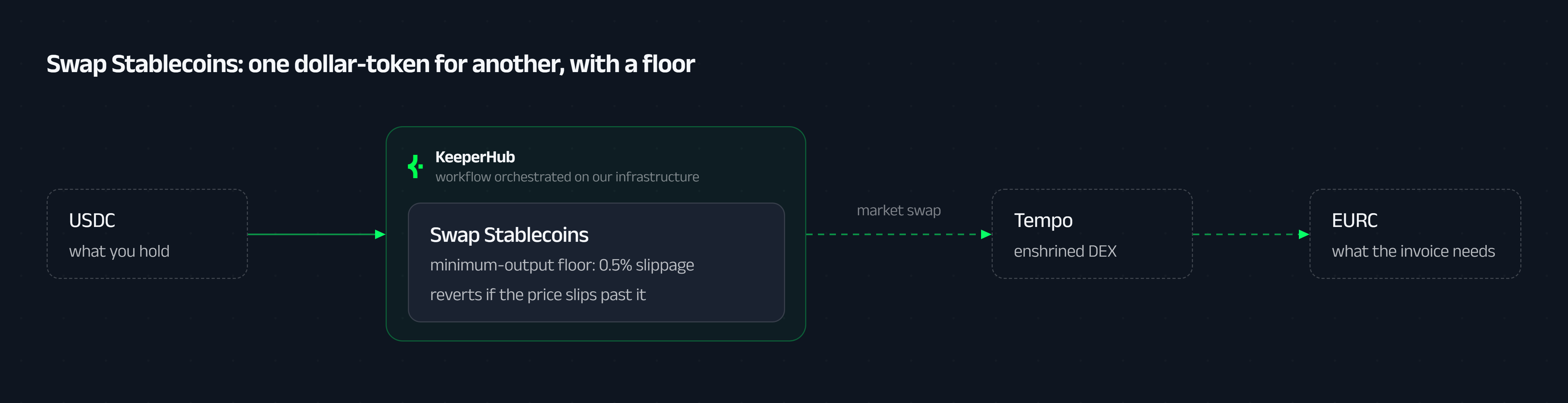
Before paying this EUR-stablecoin invoice, swap enough USDC into it on Tempo,
and don't accept more than 0.5% slippage.
The five, at a glance
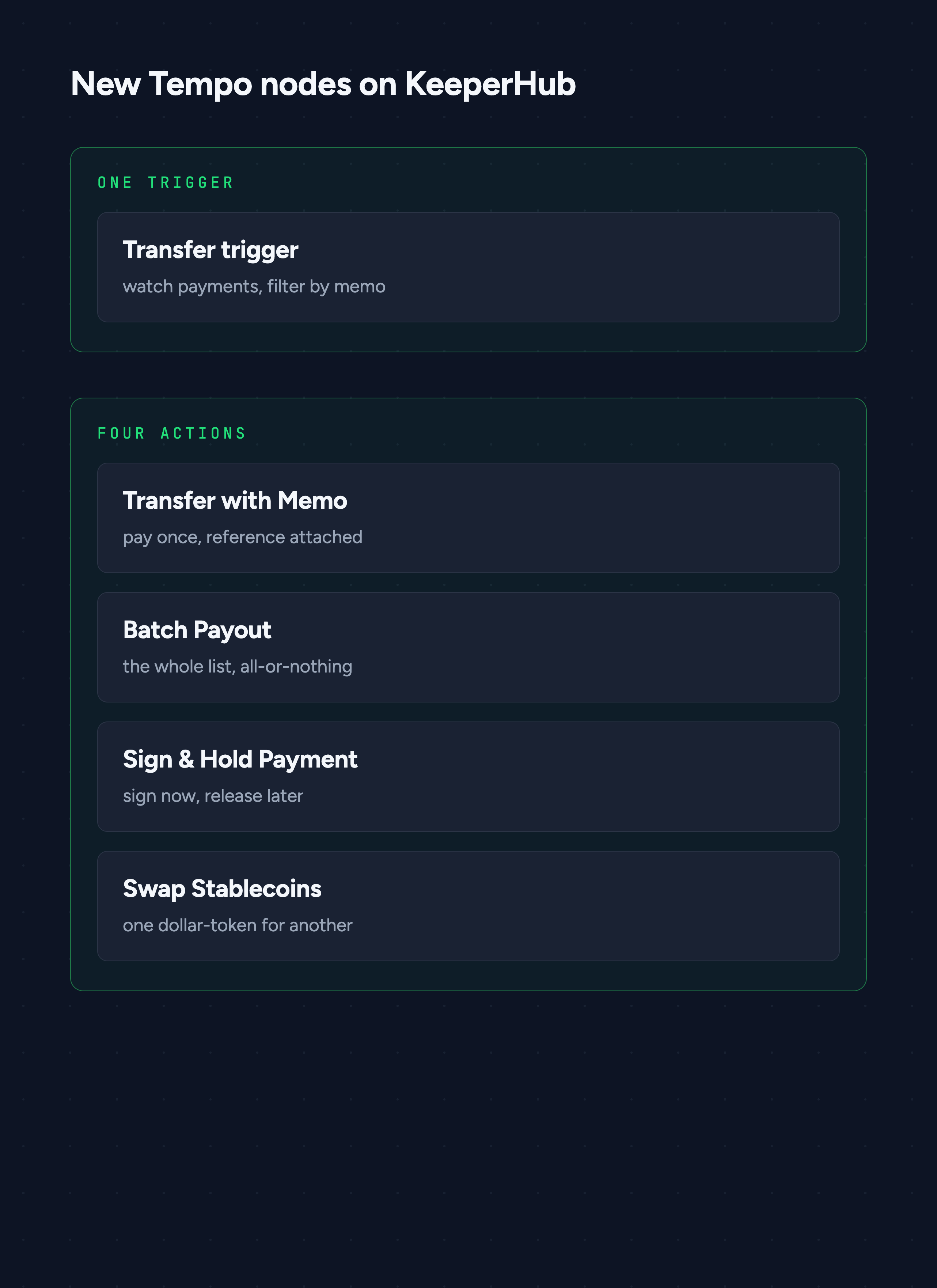
You describe it. The agent builds it.
Every sentence under those five nodes is the whole interface. Connect an agent to KeeperHub over MCP, whether that is Claude, Cursor, or your own loop, and the sentence becomes a live workflow: the right node, with the memo filter, the schedule, or the slippage floor already filled in. Prefer a terminal? The same works from the kh CLI.
The prompts stay this simple on purpose. The parts that actually have to be correct, the token's decimals, a sane validity window, an address that is really an address, are handled by the workflow and its guardrails, not left for you to get exactly right in a sentence. Tempo was built with this in mind: it shipped with a payments standard for autonomous agents. These nodes behave the same whether the sentence comes from you or from software acting on your behalf.
Why KeeperHub
Describing a workflow is the easy part. It always was. The hard part is running it deterministically and reliably, the same way every single time, at the moment a payment has to actually land and you have to be able to prove that it did. That is the part KeeperHub exists for.
So the shape of the work changes. You connect your agent to KeeperHub over MCP or the CLI, and your agent picks up the tools it needs to turn what you asked for into something real. You describe the workflow in plain language. You run it once, watch what it does, and adjust the wording. You iterate until it does exactly what you meant. And when you are comfortable, you let it run.
At that point you have automated a job you used to do by hand every month, and the whole thing cost you a conversation. The rails are Tempo's. The reliable execution underneath is ours. What you bring is the description of your own Friday afternoon, so you never have to spend another one watching a wallet.
Start automating on Tempo
You have seen the five pieces. The fastest way to believe them is to wire one up and watch it land a real payment.
Automate your first payment ritual on Tempo, and turn next Friday afternoon into a workflow you describe once and never run by hand again.
Related: KeeperHub integrations · x402 on KeeperHub